
WordPress is the most cost-effective, scalable, and owner-controlled website platform available to small businesses today. While platforms like Wix and Squarespace get plenty of attention, the core reason why WordPress suits small businesses comes down to one thing: you own it. You own the code, the content, and the customer data. No other mainstream platform gives you that combination at this price point. Whether you are a solo tradesperson in Perth or a five-person startup, WordPress gives you a professional web presence that grows with your business without forcing you to start over every few years.
What advantages does WordPress offer small businesses?
WordPress is the right choice for small business websites because it removes the ceiling on what your site can do. WordPress powers over 43% of all websites worldwide. That market share reflects real trust from real businesses, not just hobbyists.

The platform itself is free and open-source. Your primary costs are hosting and a domain name, with no surprise per-feature pricing tiers stacked on top. That predictability matters when you are watching every dollar in the early stages of a business.
Here is where WordPress pulls ahead of the competition:
- Ownership and data control. Self-hosted WordPress means owning your digital property outright. Closed platforms are rentals. If the platform changes its pricing or shuts down, you lose everything.
- Plugin flexibility. Tools like WooCommerce for ecommerce, Yoast SEO for search visibility, and Elementor for page design let you add features without rebuilding from scratch.
- Scalability. WordPress scales without needing a platform migration. You can start with five pages and grow into a full booking system, membership site, or online store.
- Community and resources. Thousands of free themes, tutorials, and developer forums mean you are never stuck without support.
- Easy content editing. WordPress’s block editor lets most business owners update their own content without hiring a developer every time.
Pro Tip: Start with a premium theme from a reputable marketplace like ThemeForest or Elegant Themes rather than a free theme. Premium themes typically include dedicated support and regular security updates, which saves you time and money down the road.
The WordPress advantages for entrepreneurs are clearest when you compare the long-term cost of ownership. A proprietary platform charges you monthly forever. WordPress charges you once for setup and then only for hosting, which typically runs $10–$30 per month for a small business site.
How does WordPress compare to other website solutions?
Not every platform is built for the same job. The table below shows where WordPress wins, where it loses, and which businesses should look elsewhere.
| Platform | Best For | Cost Model | Ownership | Scalability |
|---|---|---|---|---|
| WordPress | Growing businesses, content sites, ecommerce | Low fixed costs | Full ownership | High |
| Wix | Simple brochure sites, no updates needed | Monthly subscription | No ownership | Low |
| Squarespace | Design-focused, portfolio sites | Monthly subscription | No ownership | Low |
| Custom-coded site | Unique, complex applications | High upfront and ongoing | Full ownership | Very high |
| Static one-page site | Single-service, no growth plans | Near zero | Full ownership | None |
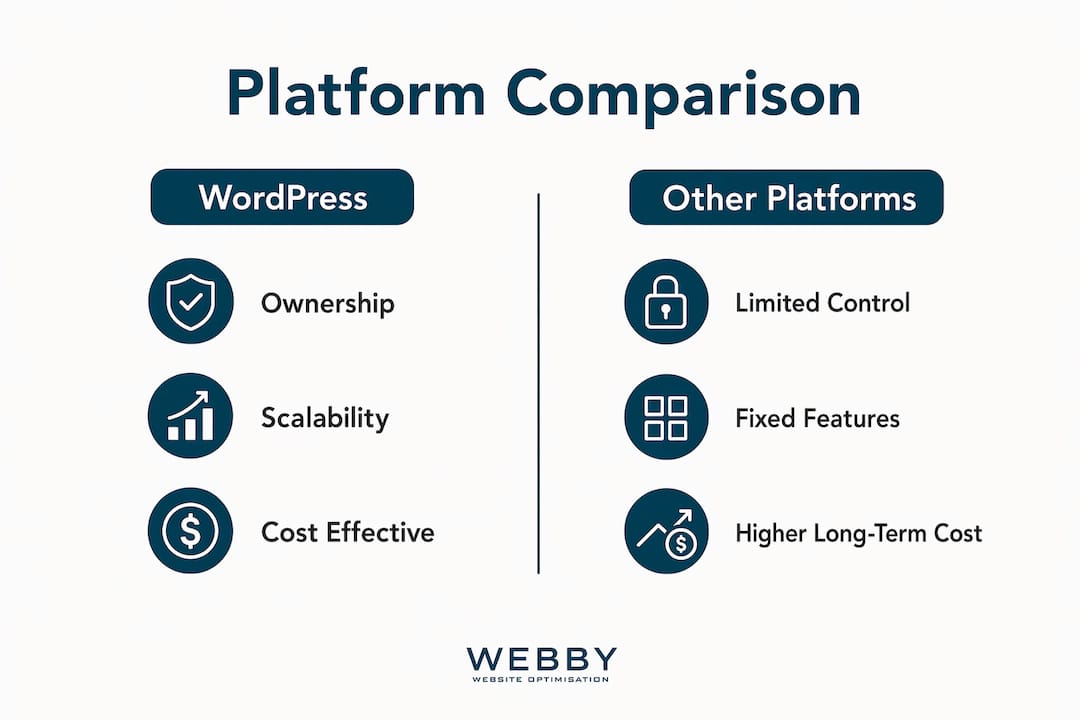
Hosted website builders like Wix and Squarespace work well for simple, static one-page sites with no need for regular updates or scaling. The moment you want to add a booking system, a blog, or an online store, their limitations become expensive problems.
Custom-coded websites sit at the other extreme. 80% of projects for business founders perform better with a well-managed WordPress build than a fully custom-coded solution, because of speed, ease, and lower maintenance costs. Custom code makes sense only when your business has a genuinely unique technical requirement that no plugin can solve.
WordPress is occasionally overkill. A one-page static site for a local tradesperson who never updates their content and has no plans to grow does not need WordPress. A simple HTML page with a phone number and a Google Maps embed will load faster and cost less. Be honest about your growth plans before you choose.
The portability advantage of WordPress is underrated. WordPress portability means you can switch hosting providers or developers without losing content or SEO rankings. With Wix or Squarespace, you cannot export your site and move it. You are locked in permanently.
What are the common pitfalls of running a WordPress site?
WordPress requires active management. Many small business owners underestimate the ongoing work involved, including plugin updates, security patches, and regular backups. Ignoring these tasks creates real vulnerabilities that hackers actively exploit.
The most common mistakes small business owners make with WordPress:
- Skipping backups until something breaks
- Installing plugins from unknown developers without checking update history
- Using outdated themes that no longer receive security patches
- Ignoring hosting quality and choosing the cheapest shared server available
- Adding too many plugins and slowing the site to a crawl
That last point deserves special attention. Installing too many plugins slows site speed and creates security risks. Experts recommend fewer than five core plugins to keep WordPress efficient. Pick one plugin per job: one for SEO, one for security, one for backups, one for forms, and one for performance. That is your core stack.
Pro Tip: Use a managed WordPress hosting provider like WP Engine, Kinsta, or SiteGround’s managed WordPress plan. These services handle automatic updates, daily backups, and security scanning so you can focus on running your business instead of maintaining your server.
Website maintenance is not optional for a business site. A hacked or broken website costs far more to fix than a monthly maintenance plan costs to run. Treat it like insurance.
The good news is that managed hosting has made WordPress dramatically easier to run. You get the full power of the platform without needing to be a systems administrator. For most small businesses, a managed hosting plan plus a reliable developer on call covers every realistic scenario.
How do small businesses use WordPress to grow online?
WordPress becomes a genuine growth tool when you use it strategically rather than just as a digital brochure. Here is a practical sequence for getting the most out of the platform:
- Launch a pre-launch page first. A pre-launch landing page with email capture can be set up in about 10 minutes using a tool like SeedProd. This lets you validate demand and build an audience before your full site is ready.
- Build your core five pages. A basic five-page WordPress site can be completed over a single weekend. Home, About, Services, Blog, and Contact covers 90% of what a small business needs at launch.
- Add lead capture tools. Plugins like WPForms or Gravity Forms connect directly to email marketing platforms like Mailchimp or ActiveCampaign. Every visitor who fills out a form becomes a lead you own.
- Build a content strategy. A blog on your WordPress site is one of the most cost-effective online lead generation tools available. Publishing answers to questions your customers ask builds search visibility over time.
- Add ecommerce or bookings when ready. WooCommerce handles product sales. Plugins like Bookly or Simply Schedule Appointments handle service bookings. Neither requires a platform change.
The table below shows how a WordPress site typically evolves as a small business grows:
| Business Stage | WordPress Setup | Key Plugins |
|---|---|---|
| Launch | 5-page brochure site | Yoast SEO, WPForms, UpdraftPlus |
| Growth | Blog + lead capture | Mailchimp for WP, MonsterInsights |
| Expansion | Bookings or ecommerce | Bookly or WooCommerce |
| Scale | Membership or custom workflows | MemberPress, Advanced Custom Fields |
WordPress supports extensive custom workflows and membership management, allowing founders to build scalable, content-rich business applications without custom coding from scratch. That means your site can grow from a simple five-page brochure into a full membership platform without ever switching platforms. That continuity protects your SEO, your content, and your customer relationships.
Website speed directly affects how many leads your site generates. A slow WordPress site loses visitors before they ever read your offer. Prioritize a fast theme, a caching plugin like WP Rocket, and a quality host from day one.
Key takeaways
WordPress suits small businesses because it combines full ownership, predictable costs, and the flexibility to grow without ever switching platforms.
| Point | Details |
|---|---|
| Ownership beats renting | Self-hosted WordPress gives you full control of your site, content, and customer data. |
| Costs stay predictable | Hosting and a domain are your main expenses, with no per-feature pricing surprises. |
| Scalability protects your investment | Add ecommerce, bookings, or memberships without rebuilding or migrating platforms. |
| Maintenance is non-negotiable | Managed hosting and fewer than five core plugins keep your site secure and fast. |
| Launch fast, grow deliberately | A five-page site takes one weekend; a pre-launch page takes under an hour. |
The case for WordPress is stronger than most people realize
I have worked with dozens of small business owners who started on Wix or Squarespace because it felt simpler. Almost every one of them eventually hit a wall. They wanted to add a booking system, or rank better on Google, or export their customer list, and the platform said no. Then they had to rebuild from scratch, losing months of SEO progress in the process.
WordPress is not perfect. It requires more attention than a hosted builder. You need to care about updates, backups, and hosting quality. But that small overhead buys you something that no hosted platform can match: complete control over your digital business.
The ownership argument is the one I make most often. Your website is a business asset. Would you build your office on land you are renting from someone who can change the lease terms at any time? That is exactly what you do when you build on a closed platform.
WordPress for startups is often described as a secret weapon because it balances cost savings with total control. I think that framing is accurate. The businesses I have seen grow fastest online are the ones that treated their website as an owned asset from day one, invested in good hosting, kept their plugin stack lean, and published content consistently.
WordPress is not always the right answer. A truly static one-page site for a business with zero growth plans does not need it. But for any business that wants to capture leads, rank on Google, and add features over time, WordPress is the most sensible long-term investment available.
— Steve Doig
How webby website optimisation builds WordPress sites that work
If you want a WordPress site that actually generates leads and ranks on Google, the setup matters as much as the platform.
Webby Website Optimisation designs and builds WordPress websites for local service businesses in Perth, Fremantle, and Melville. Every site is built for speed, search visibility, and conversion from day one. The team handles hosting setup, plugin configuration, and on-page SEO so you launch with a site that works, not one that needs fixing six months later. Webby also offers WordPress website design and ongoing maintenance plans to keep your site secure, fast, and growing. If you want to see what a properly built WordPress site can do for your business, get in touch for a free audit.
FAQ
Is WordPress free for small businesses?
WordPress software is free and open-source. Your costs are hosting and a domain name, which typically run $10–$30 per month combined, with no per-feature pricing tiers.
How long does it take to build a WordPress site?
A basic five-page site takes about one weekend to complete. A pre-launch landing page with email capture can be live in under an hour using tools like SeedProd.
Is WordPress better than wix for small businesses?
WordPress is better for any business that plans to grow, capture leads, or add features over time. Wix suits simple, static sites with no scaling needs and no requirement for data portability.
How many plugins does a small business WordPress site need?
Experts recommend fewer than five core plugins. One each for SEO, security, backups, forms, and performance covers everything most small businesses need without slowing the site down.
Can i manage a WordPress site without a developer?
Yes. WordPress’s block editor lets most business owners update content without developer help. For technical tasks like updates and backups, managed hosting automates the process.